
Devices
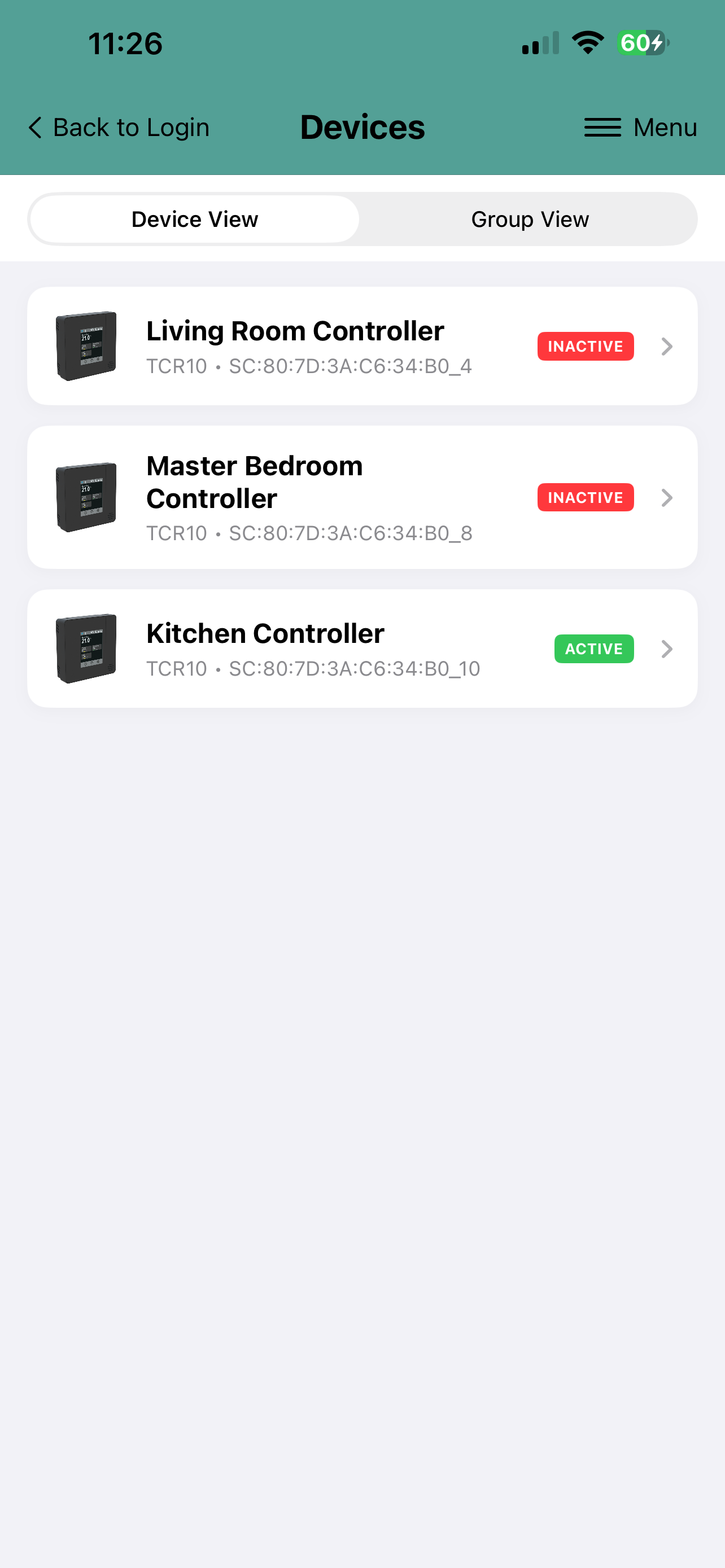
Once the SmartView Cloud device is connected to the cloud server and it is claimed to be under your account, it is shown on the Devices page. The page displays list of all of your devices. The pages has two different view modes: Device View and Group View.
- In Device View the devices are shown in a list. with the current current connection status and customisable device name. Selecting the device, it's Dashboard view is displayed.
- In Group lists of the devices are grouped under custom defined groups. E.g. devices located in the Ground Floor can be grouped under its heading, and all devices in the house can be listed under heading Whole House.
 |
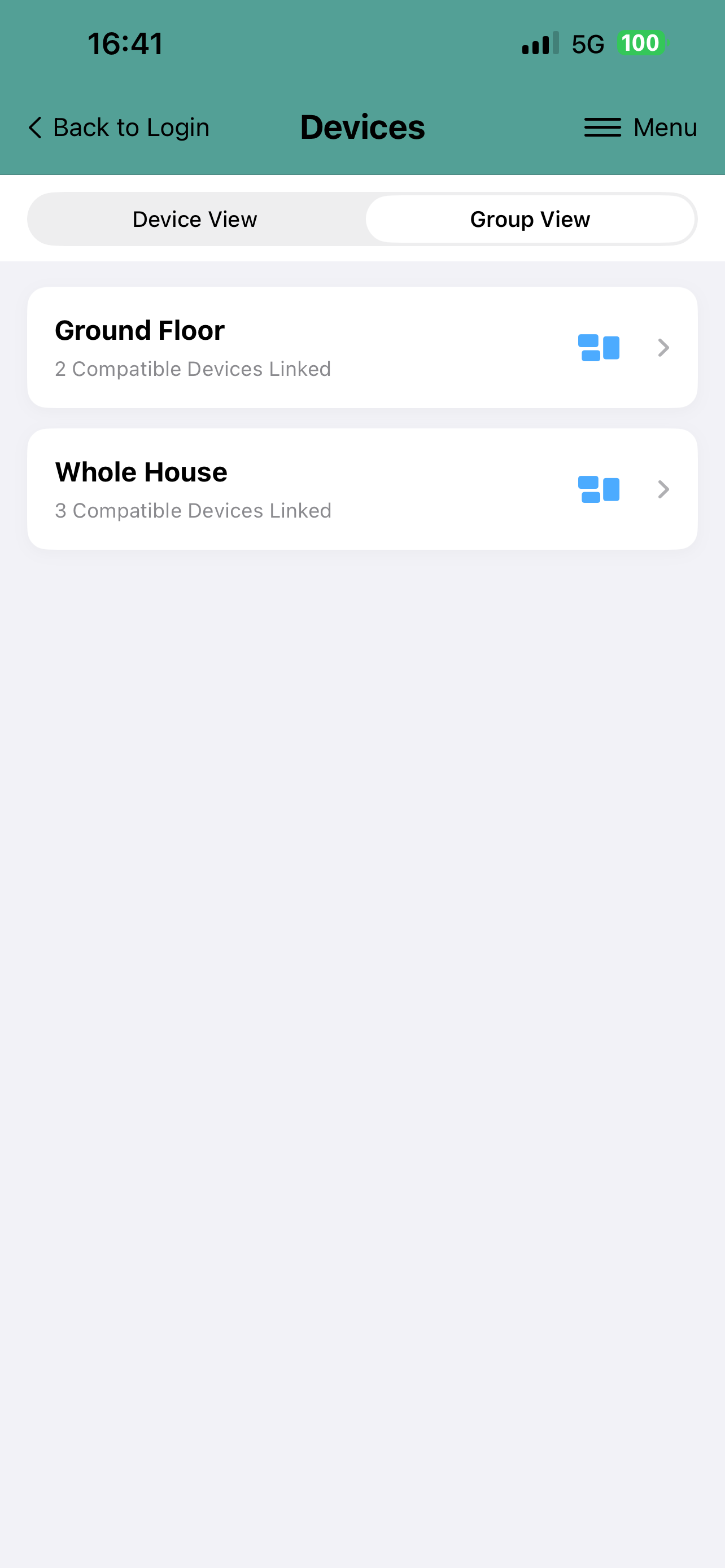 |
| Device View | Group View |
Configuring Group Views
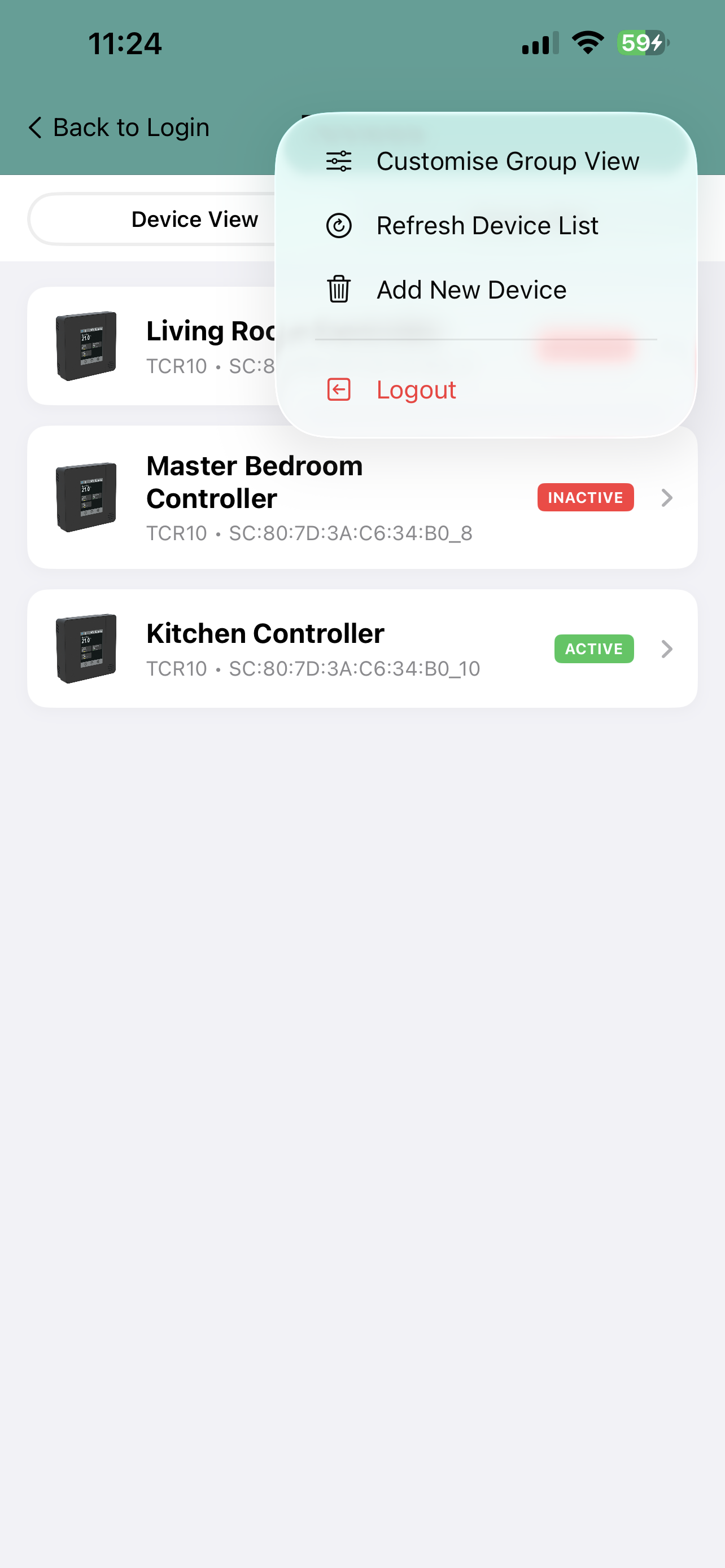
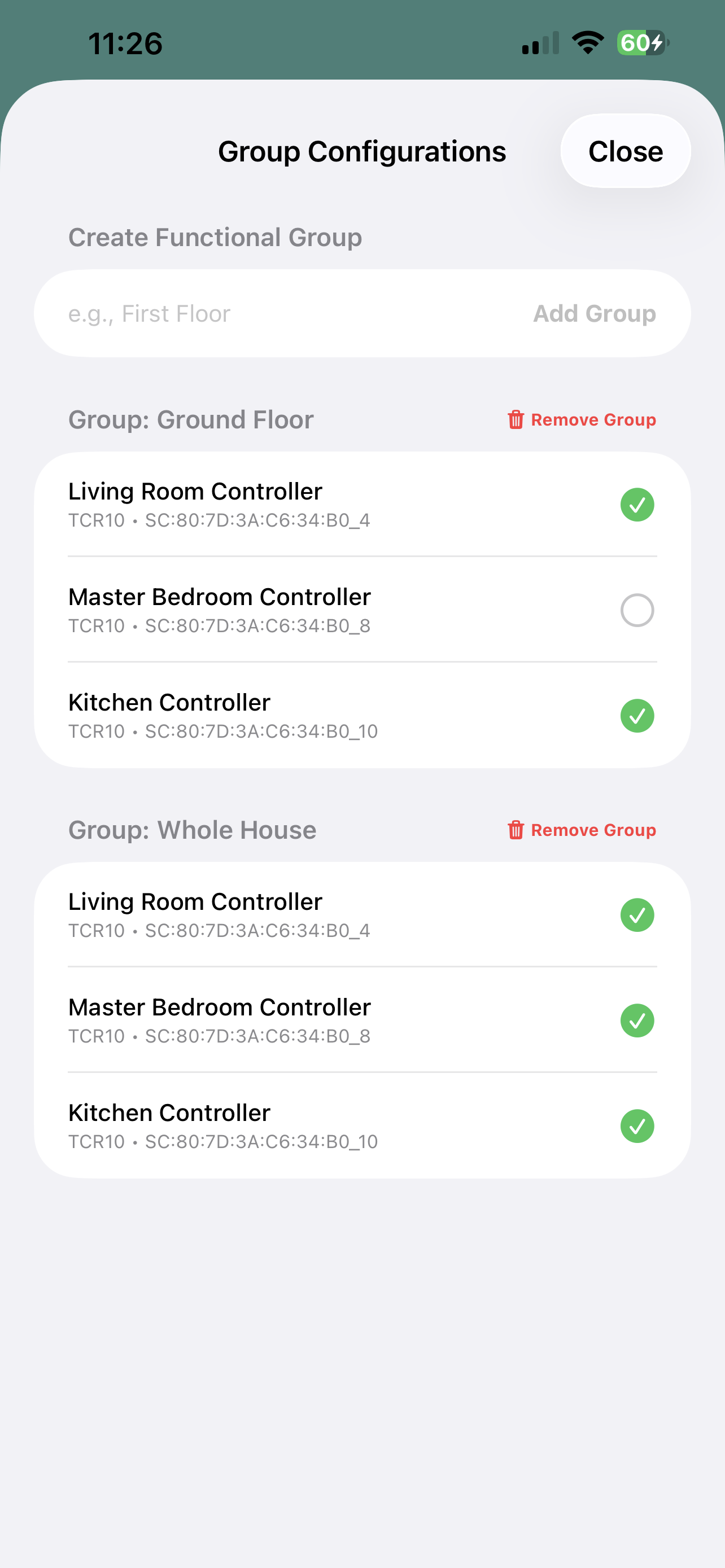
Selecting from the menu 'Customise Group View' it possible to create new groups and assign devices to belong to that group. Simply just select the devices that you wish to include into the group.
 |
 |
|
Customising Groups |
Creating Groups and Assigning Devices to Groups |
To rename group, delete it and re-select the devices belonging to that group.
No comments to display
No comments to display